
Arun K.
Excel Accounting & Reporting Lead
6+ years in accounts work
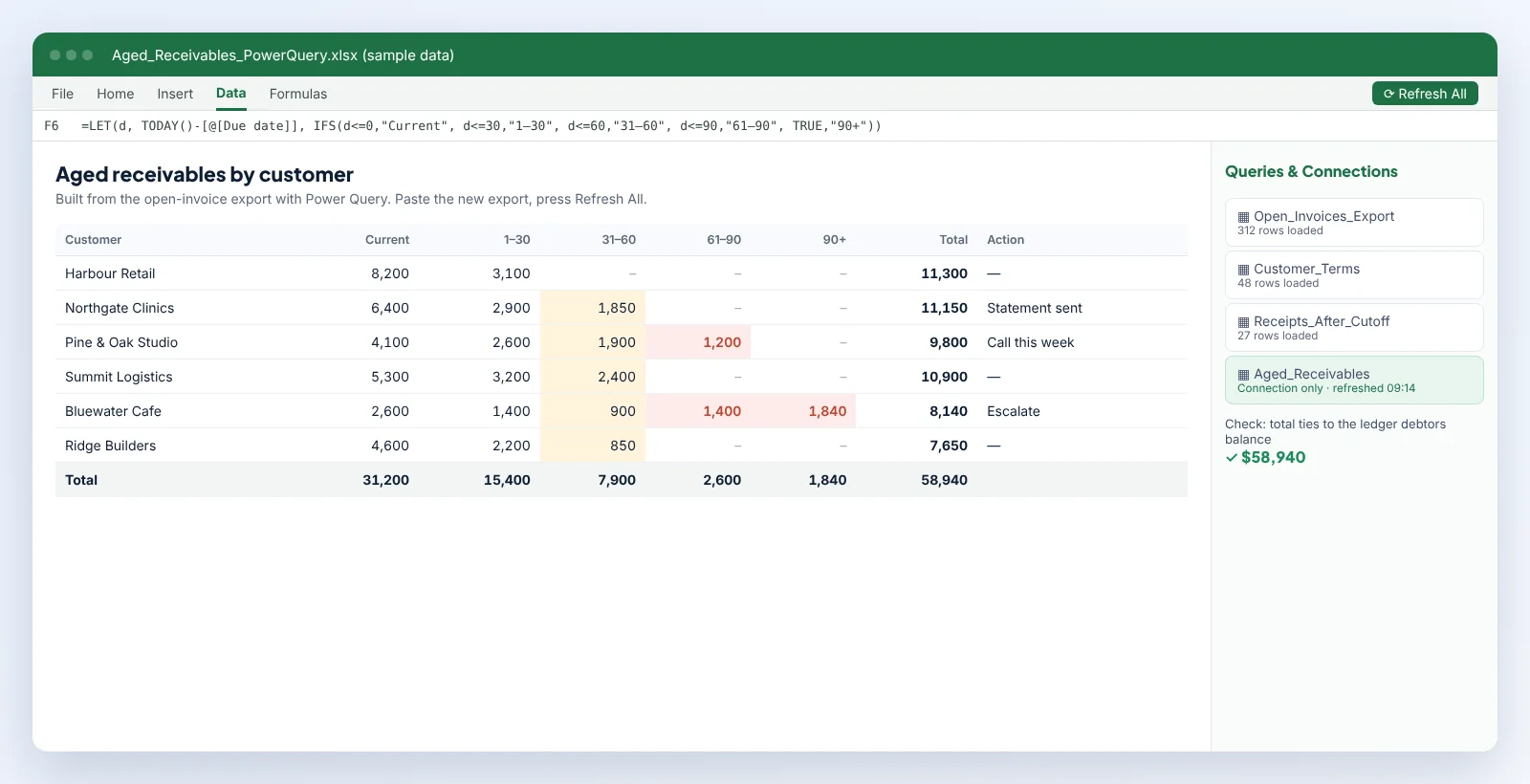
A lot of accounting still runs on spreadsheets that someone rebuilds by hand every month: copying a bank export, pasting a ledger listing, sorting, matching by eye and highlighting the leftovers. It's slow and it hides mistakes.
We turn those jobs into workbooks that import the raw exports with Power Query, match transactions with clear rules and show only the exceptions. Where a process needs buttons, such as generating statements or splitting reports, we add macros and document them.
Excel Accounting & Reporting Lead
6+ years in accounts work
Most do, with some limits. Tell us which Excel versions your team uses and we'll build to suit.
Power Query steps can be updated in minutes. We include two weeks of free fixes after handover.
Many parts can, using formulas and Apps Script, but Power Query and VBA are Excel-only.
 Education provider (teaching products)
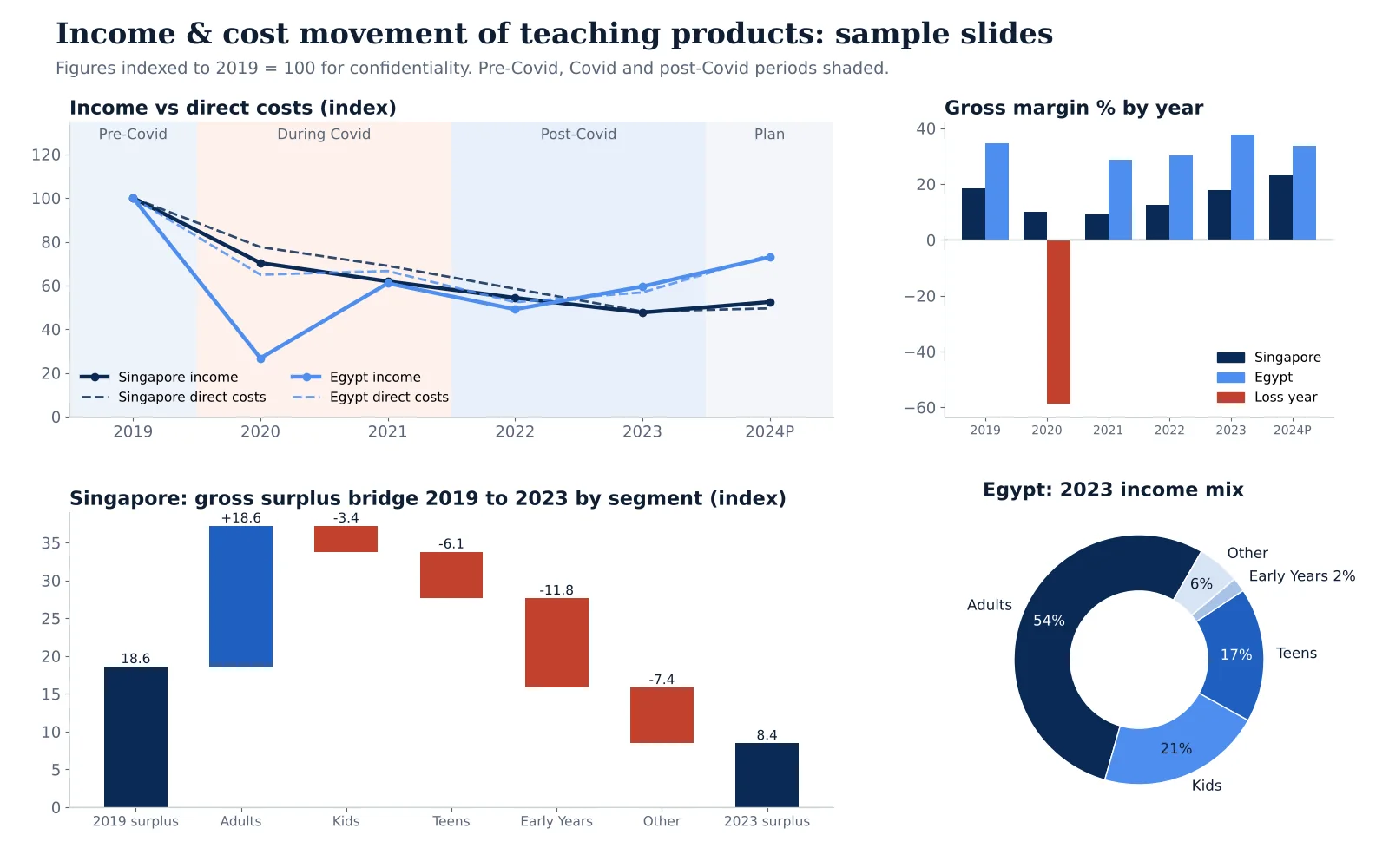
Six years of product-level income statements analyzed for income, direct cost and gross margin movement before, during and after Covid, presented market by market.
Read the case study →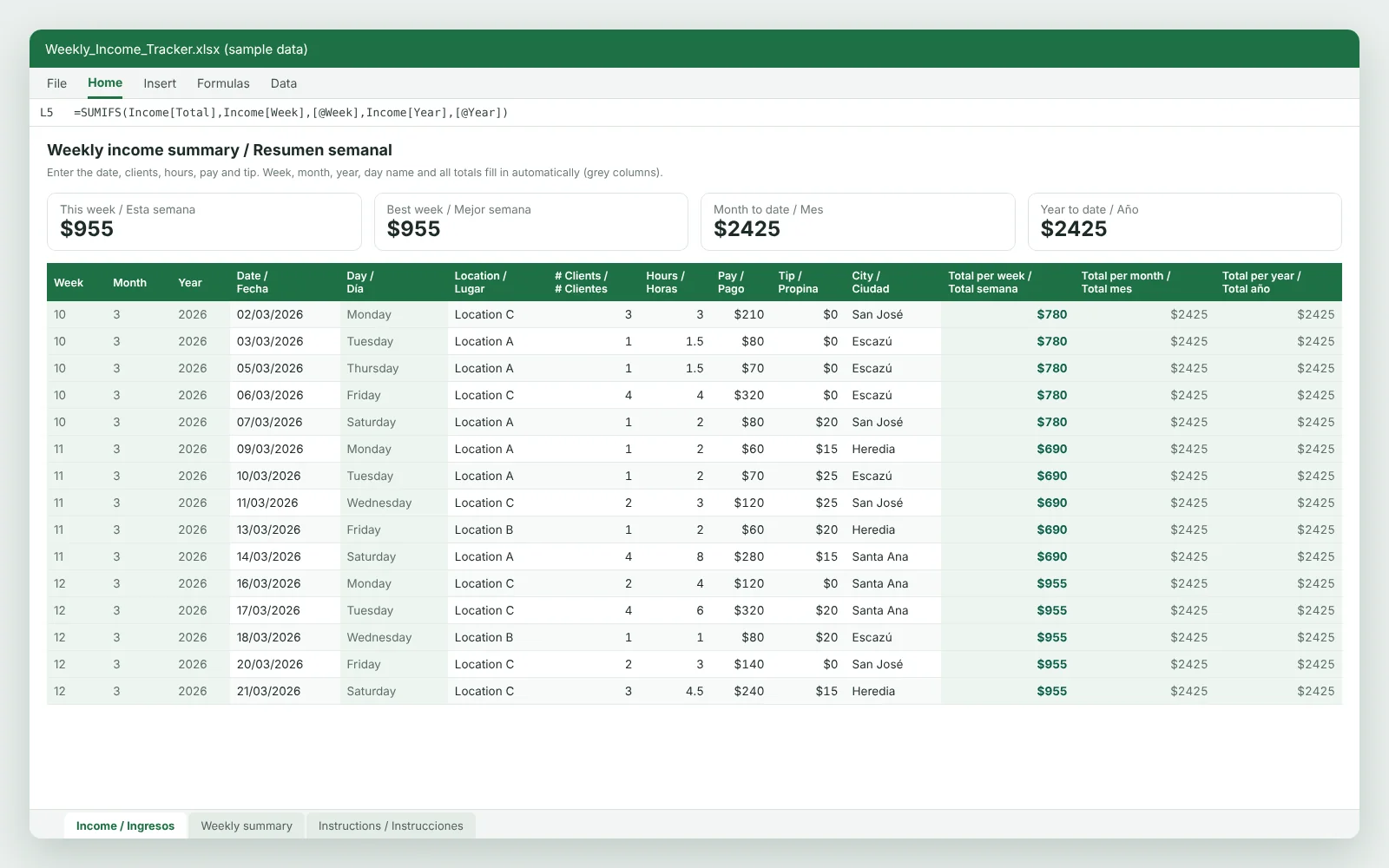 Self-employed income records
A one-sheet English and Spanish income ledger that rolls daily pay and tips up into weekly, monthly and year-to-date totals.
Read the case study →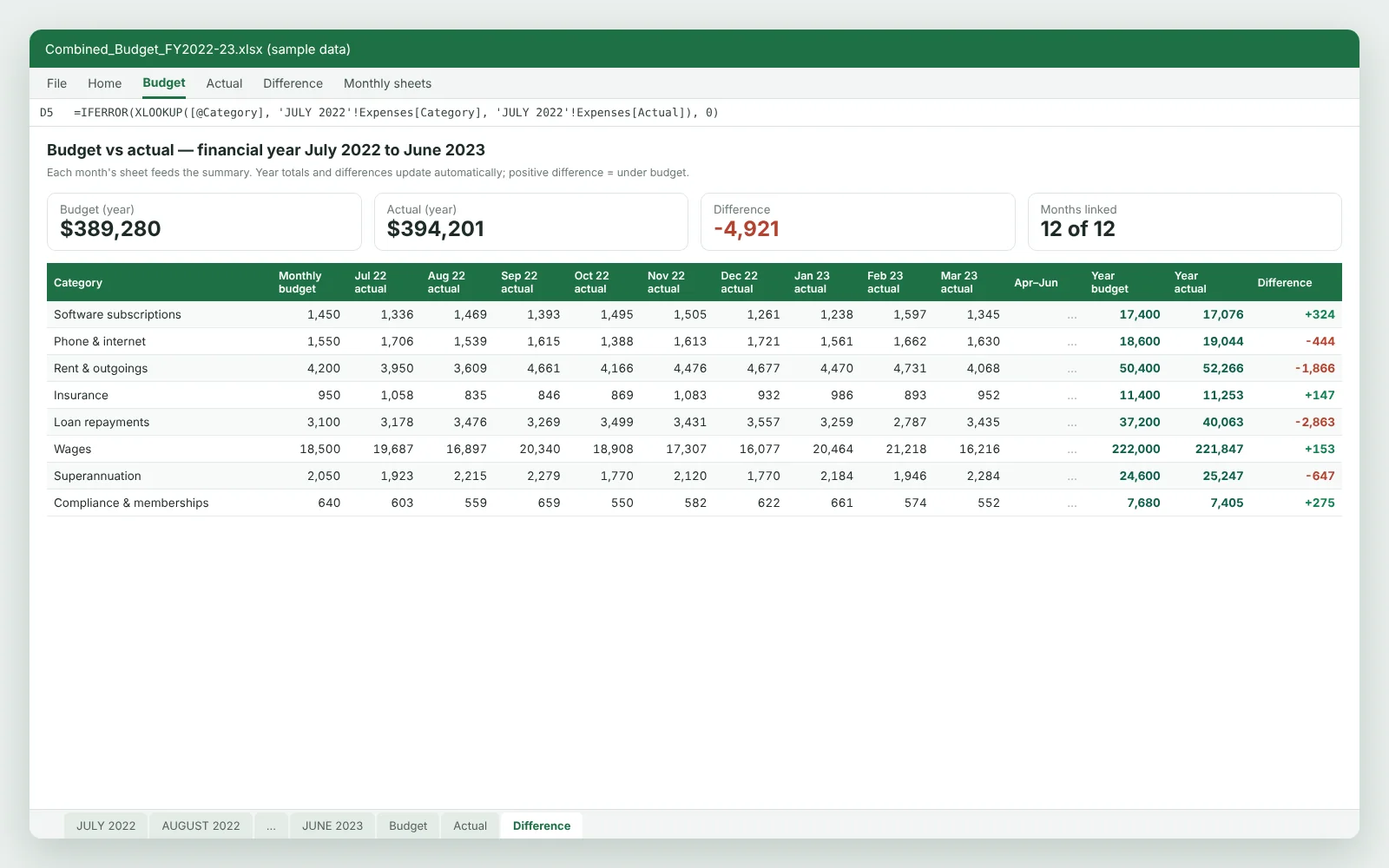 Group of Australian advisory businesses
A multi-entity budget workbook rebuilt for a new July–June financial year, with monthly budget vs actual figures, full-year totals and variance analysis.
Read the case study →Online & remote
You never need to post paperwork or book an office visit. We work remotely, inside the software you already use, and keep you updated by email and video call. That's how rates start at $15/hr / £12/hr / A$25/hr.
Calls are booked in your time zone, wherever you are.
Post your projectPost your project: the software, the months involved and what needs doing. A screenshot or sample file helps.
A named Excel accounting expert reviews it and sends a fixed price and timeline. A free NDA is available before you share anything.
You invite us as a user in QuickBooks, Xero, Sage, MYOB or Excel, or share exports through a secure link. We never ask for banking passwords.
The work happens online while you run the business. You get a short summary of what changed and a call whenever it helps.
Calls are booked in your local time zone. Work you send before the end of your day is usually updated by the next morning.
Describe the job in a few lines and we will come back with a fixed price.
Hire an Excel Accounting Expert